Image converter app (2026): HEIC, WebP and PNG to JPG without uploading
Why on-device conversion matters, what to look for in an image converter app, and free options: our Android HEIC/WebP converter and a browser WebP to JPG tool.
October 4, 2026 · 5 min read
You usually go looking for an image converter app at a bad moment: a website wants a JPG and your phone saved a WebP, an iPhone photo arrived as HEIC and won't open on Windows, or a form rejects anything over 200 KB. The question that matters most is one people rarely ask: does the app convert on your phone, or does it upload your photos to a server? This guide covers that, the other features worth having, and the free options.
Short answer: pick a converter that works on-device (offline), handles HEIC, WebP, PNG and PDF, can compress to a target size, and can strip location data. On Android, ours is HEIC to JPG: Image Converter, free on Google Play. On a computer, the free WebP to JPG converter runs in your browser without uploading the file.
On-device vs upload converters
| On-device app or browser converter | Upload-based converter site | |
|---|---|---|
| Where your photo goes | Stays on your phone or computer | Sent to someone else's server |
| Works offline | Yes (apps); browser tools after the page loads | No |
| Speed with many files | Limited by your device | Limited by your upload speed |
| Good for passports, IDs, receipts | Yes | Think twice |
You can usually tell which kind you have: turn on airplane mode and try a conversion. If it still works, the file never left the device.
What to look for in an image converter app
- The formats you actually hit: HEIC/HEIF, WebP, PNG and JPG both ways, plus JPG to PDF and PDF to JPG.
- Compress to a size: "under 100 KB" or "under 1 MB" for forms and email, not just a quality slider.
- Resize and crop to exact pixels: social media sizes and passport photos need exact dimensions.
- Remove EXIF data: photos can carry your GPS location; strip it before you share.
- Batch conversion and saving straight to your gallery or Downloads.
- Clear permissions and labels: check the Google Play Data safety section and the "Contains ads" label.
HEIC to JPG: Image Converter (Android): what's in it
From the app's Google Play listing (checked October 4, 2026):
- HEIC/HEIF, WebP, PNG, AVIF, BMP, TIFF and GIF to JPG or PNG; JPG and PNG to WebP; PNG to ICO; 70+ tools in all;
- JPG to PDF (many photos into one PDF), scan to PDF, and PDF to JPG or PNG;
- compress to 100 KB, 200 KB, 500 KB or 1 MB, resize by pixels or percentage, crop to exact sizes;
- passport and visa photos for 20 countries, social media sizes, print sizes at 300 DPI, a favicon pack;
- remove EXIF (GPS, camera and date), add a text watermark, an image info viewer;
- everything on-device with no uploads and no account; batch up to 20 files, or unlimited with the optional Pro upgrade.
On a computer, or in Chrome
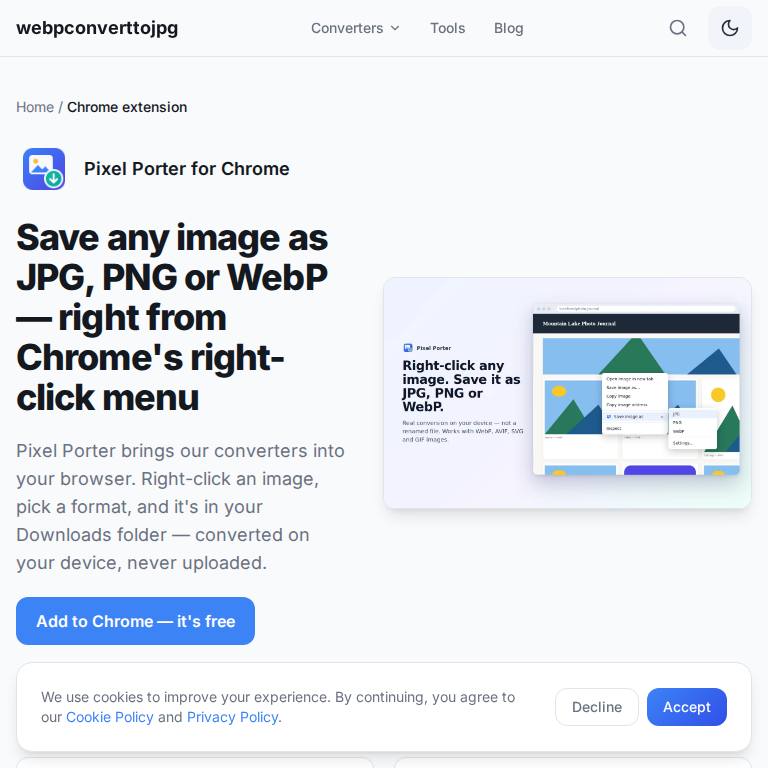
The web converter at webpconverttojpg.com turns WebP into JPG in the browser with no upload; our step-by-step guide is how to convert WebP to JPG. If you save images from websites a lot, the free Pixel Porter Chrome extension adds "Save image as JPG, PNG or WebP" to the right-click menu.
On iPhone
We don't have an iPhone image converter app. Two built-in fixes cover most cases: to stop new photos saving as HEIC, go to Settings → Camera → Formats and choose Most Compatible; and when you share a HEIC photo to most apps or email it, iOS converts it to JPG automatically. For WebP files, the web converter works in Safari.
More free tools
For unit, cooking and currency conversions, see our list of the best free converter apps for Android.
Frequently asked questions
What is the best free image converter app?
One that converts on your device instead of uploading photos, handles HEIC, WebP, PNG and PDF, compresses to a target size and can strip location data. On Android, HEIC to JPG: Image Converter from Dixon App Studio does all of that for free.
Is there a WebP to JPG converter app?
Yes. HEIC to JPG: Image Converter for Android converts WebP to JPG or PNG on the phone, and webpconverttojpg.com does it in any browser without uploading the file.
Do image converter apps upload my photos?
Some do. Test with airplane mode on: if the conversion still works, it happened on your device. Our Android app and web converter both convert locally.
How do I stop my iPhone saving photos as HEIC?
Go to Settings → Camera → Formats and choose Most Compatible. New photos are then saved as JPG.