Shopify purchase orders: how to reorder, send POs and receive stock
How purchase orders work in Shopify, the reorder-point maths (velocity, lead time, safety stock, case packs), and how to send a PO and receive the delivery into inventory.
November 4, 2026 · 6 min read
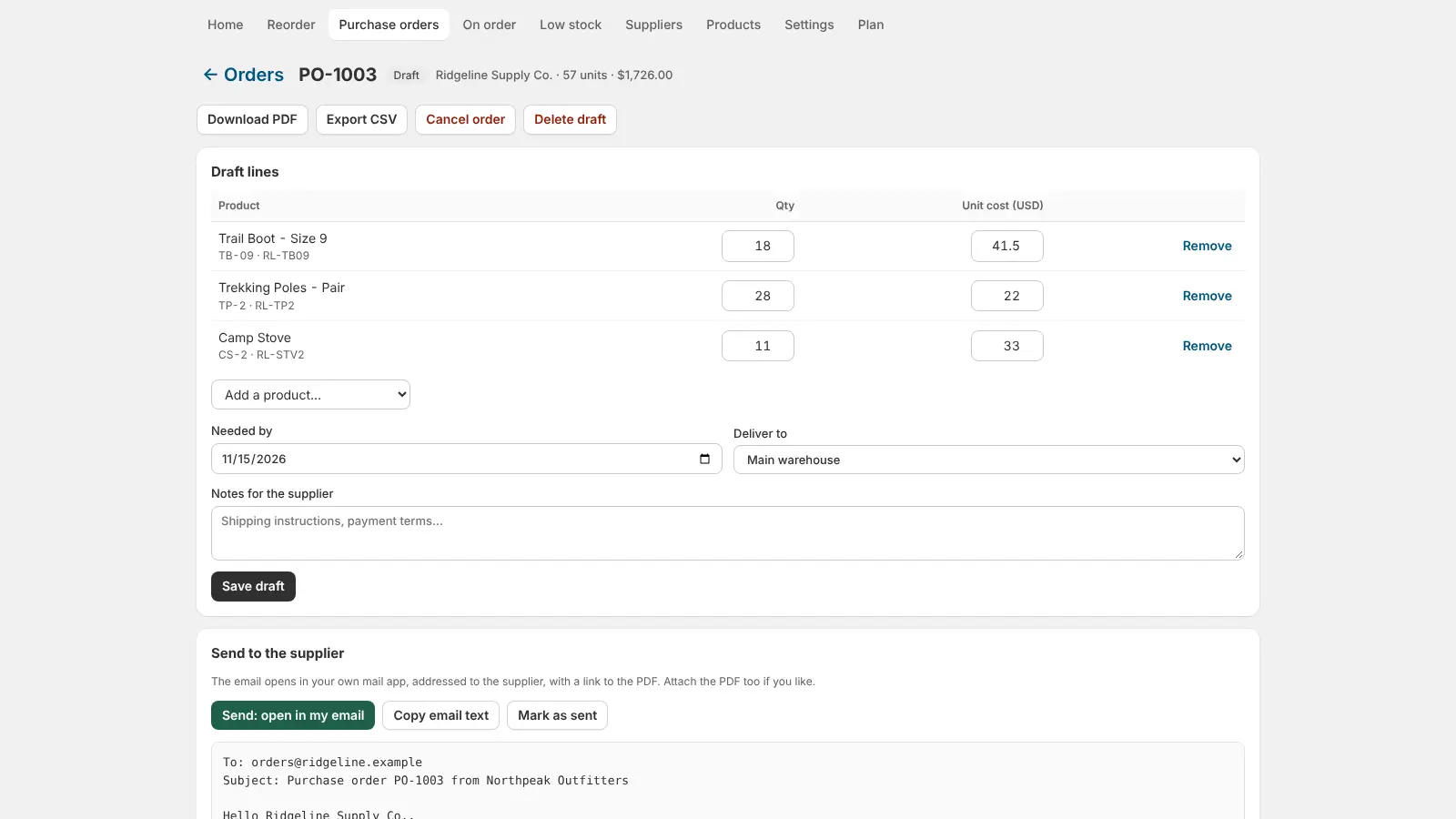
A purchase order (PO) is the list you send a supplier: which products, how many, at what cost, delivered where and by when. In a Shopify store it does two jobs. It tells the supplier what to ship, and when the box arrives it's the record you receive against, so your inventory goes up by what actually came in. This guide covers how purchase orders work in Shopify, how to decide how much to order, and how to receive a delivery without miscounting stock.
Purchase orders in the Shopify admin
Shopify's admin has basic purchase orders under Products → Purchase orders. You add a supplier, choose the destination location, add products with quantities and costs, and mark the order as ordered. When stock arrives you open the PO, enter what was received and Shopify adds it to inventory at that location. For a store with a handful of suppliers that place orders by gut feel, that's often enough.
What the built-in purchase orders don't do:
- tell you what to reorder and how many, based on how fast each product sells;
- account for each supplier's lead time and your safety stock;
- round to the supplier's case pack or minimum order quantity;
- send the supplier a PDF of the order, or alert you per location when stock is low.
How much should you reorder?
The standard reorder maths uses four numbers per product:
- Sales velocity: average units sold per day over the last 30, 60 or 90 days.
- Lead time: days from sending the PO to having stock on the shelf.
- Safety stock: extra days of cover for slow deliveries or a busy week.
- Stock on hand and on order: what you have plus what's already coming.
Reorder point = velocity × (lead time + safety days). When stock on hand plus stock on order falls below it, order. Order quantity = enough to cover the reorder window plus your normal order cycle, minus what you have, then rounded up to the supplier's case pack and minimum.
Example: a product sells 4 a day, the supplier takes 10 days and you keep 5 days of safety stock. Reorder point = 4 × 15 = 60. With 35 on hand and none on order, you're below it. To cover the 15 days plus a 30-day cycle you need 4 × 45 = 180, minus 35 = 145, and in cases of 24 that's 7 cases (168 units).
One trap: a single wholesale order of 200 units makes a product look like a best seller for months. Leave one-off bulk orders out of the velocity, or your suggestions will be far too high.
Step by step: a purchase order from reorder list to received
- Set up suppliers with an email, lead time and currency, and map each product to its supplier with the supplier's SKU, unit cost and case pack.
- Build the reorder list from sales velocity, lead time and safety stock, grouped by supplier.
- Create a draft PO per supplier, adjust quantities, and add notes such as delivery instructions.
- Send it: email with a PDF, or export CSV for suppliers with their own ordering system. Mark it sent.
- Track what's on order so the next reorder run doesn't order the same stock twice.
- Receive the delivery: count what arrived, enter it, and let inventory go up at the right location. Leave the PO partially received if the rest is back-ordered.
Doing it with Cratebird
We're building Cratebird: Reorder & POs to do all six steps inside Shopify. It reads your sales over 30, 60 or 90 days, suggests what to order from each supplier using lead time, safety stock, case packs and minimums (and leaves one-off bulk orders out), turns suggestions into purchase orders you can email as a PDF or export as CSV, and receives deliveries straight into Shopify inventory. Low-stock alerts per location and a daily digest round it out. There's a free plan for 10 products and 1 supplier.
Receiving tips that keep inventory right
- Count before you enter. Receive what's in the box, not what the packing slip says.
- Receive at the location the stock is actually going to, so per-location alerts stay accurate.
- Record short shipments as partial receipts instead of editing the PO; the rest stays on order.
- Update unit costs when a supplier changes prices, so margins and the PO totals stay true.
Related guides
Frequently asked questions
Does Shopify have purchase orders?
Yes. The Shopify admin has basic purchase orders under Products → Purchase orders: add a supplier, products, quantities and costs, then receive the delivery into inventory. It doesn't suggest what or how much to reorder.
How do I calculate a reorder point?
Reorder point = average daily sales × (supplier lead time in days + safety stock days). Reorder when stock on hand plus stock on order falls below it.
How do I receive a purchase order in Shopify?
Open the purchase order, enter the quantity that actually arrived for each line and save. Inventory goes up at the PO's destination location; anything not yet delivered stays on order.
Should bulk orders count toward sales velocity?
No. A one-off wholesale order inflates the average for weeks. Exclude unusually large single orders when you calculate how fast a product sells.