

Shopify app · coming soon to the App Store
Cratebird: Reorder & POs
Know what to reorder before you run out, send purchase orders and receive stock into Shopify.
Join the waitlistComing soon to the Shopify App Store (in review now).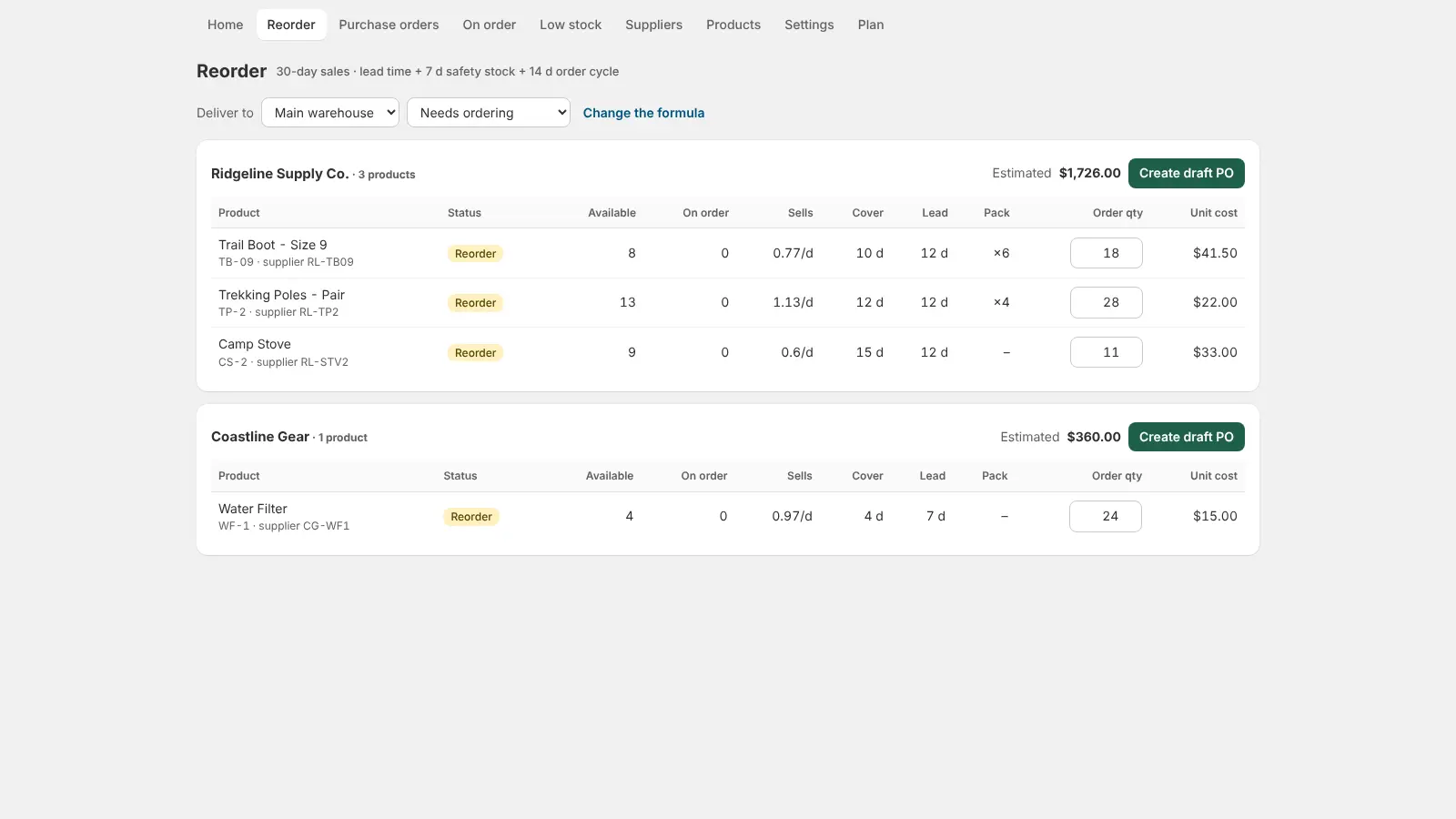
What it does
Cratebird turns your sales into a reorder list. It reads how fast each product sells over 30, 60 or 90 days and suggests what to order from each supplier, using their lead time, your safety stock, minimum order quantities and case packs. Turn suggestions into purchase orders, send them as an email with a PDF, export CSV, and receive deliveries straight into Shopify inventory. Low-stock alerts per location, an on-order view and a daily digest keep you ahead. Built for stores moving off Stocky.
A reorder list from your real sales
Cratebird reads how fast each product sells over 30, 60 or 90 days and suggests how many to order from each supplier, using lead time and safety stock.
Purchase orders suppliers can read
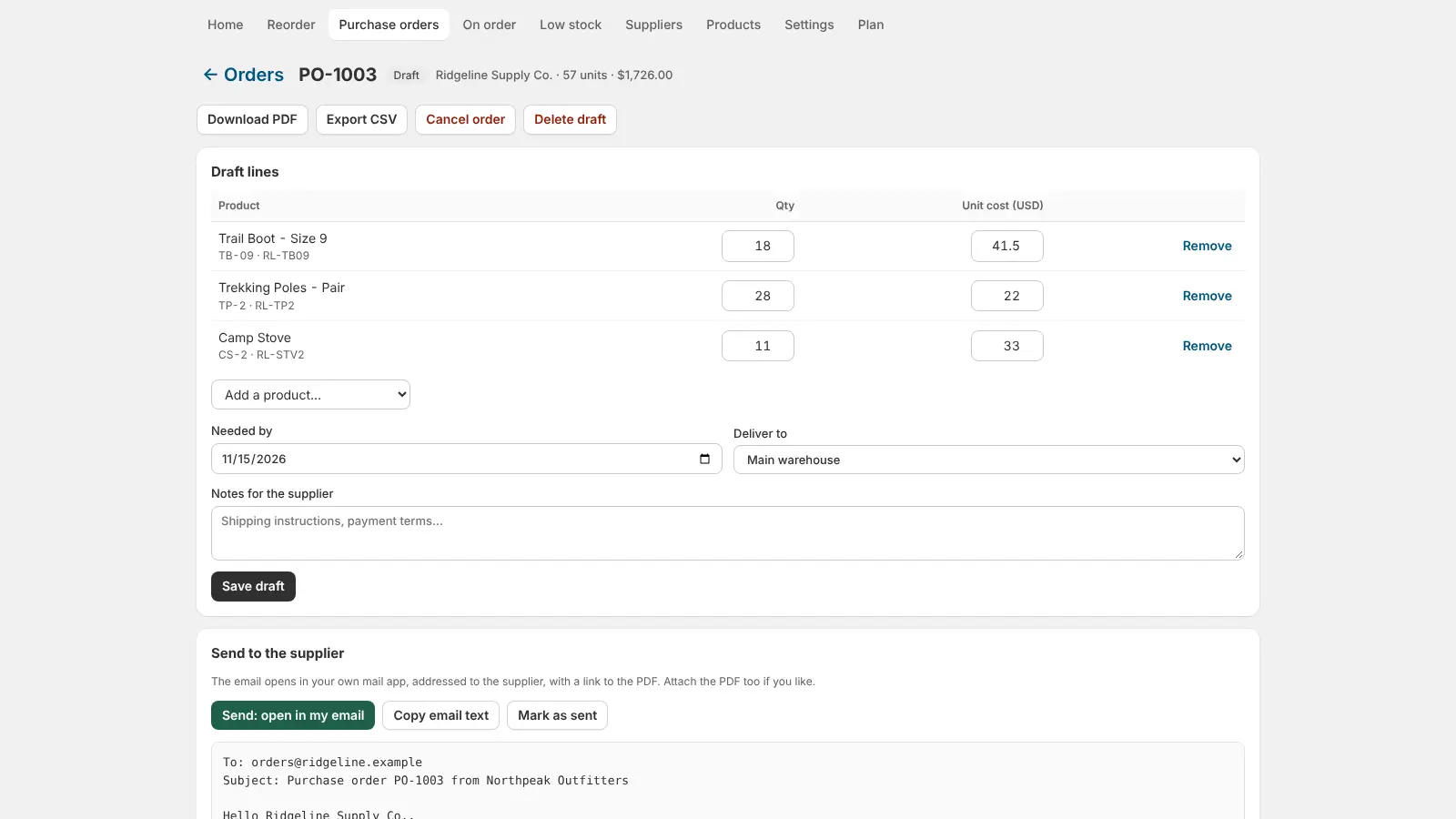
Turn suggestions into a draft PO, rounded to case packs and minimum order quantities, then email it with a PDF link or export CSV.
Receive straight into Shopify
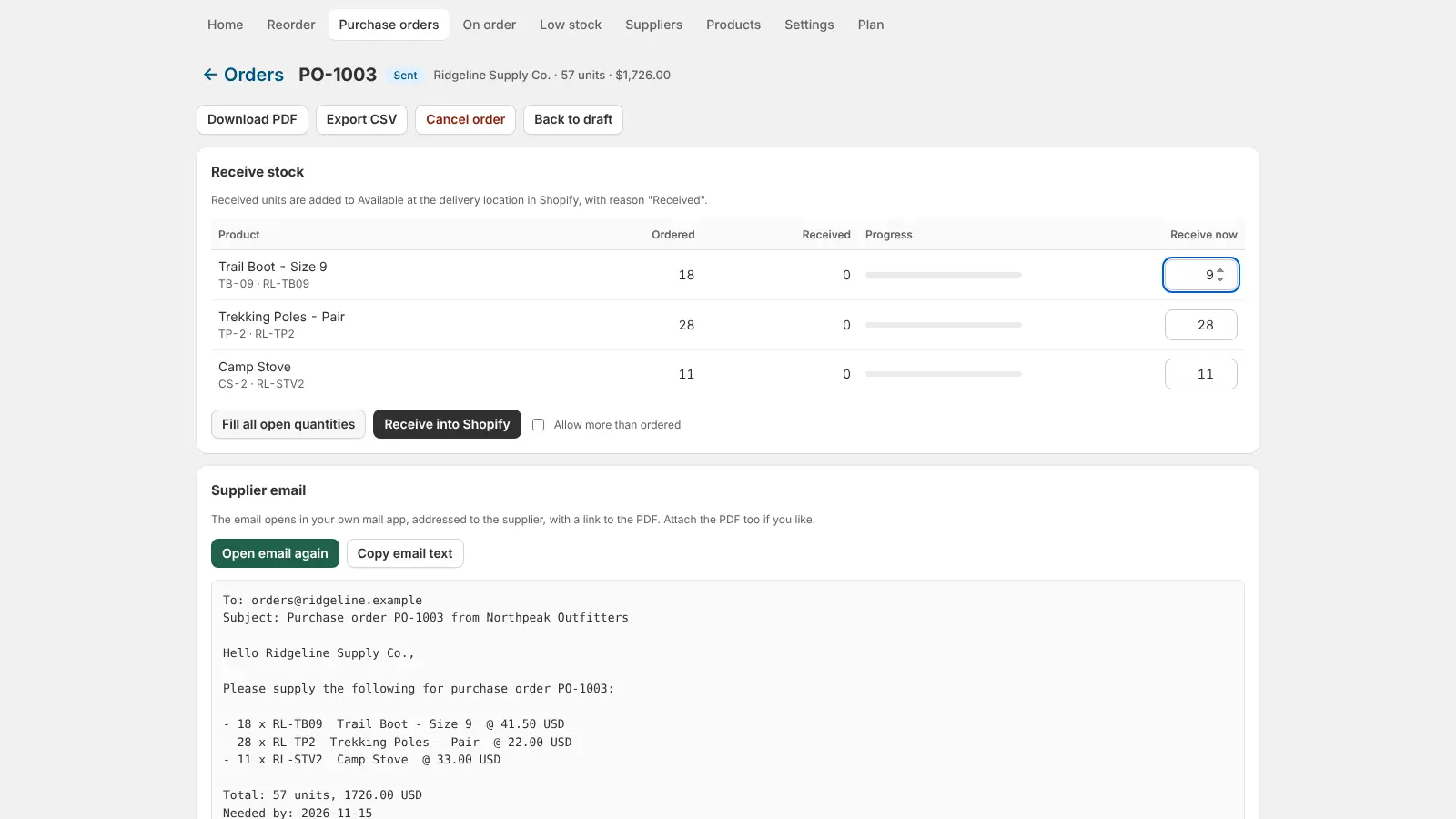
When the delivery lands, enter what arrived. Available stock goes up at the right location with the reason Received, and partial deliveries stay open.
Never get caught out
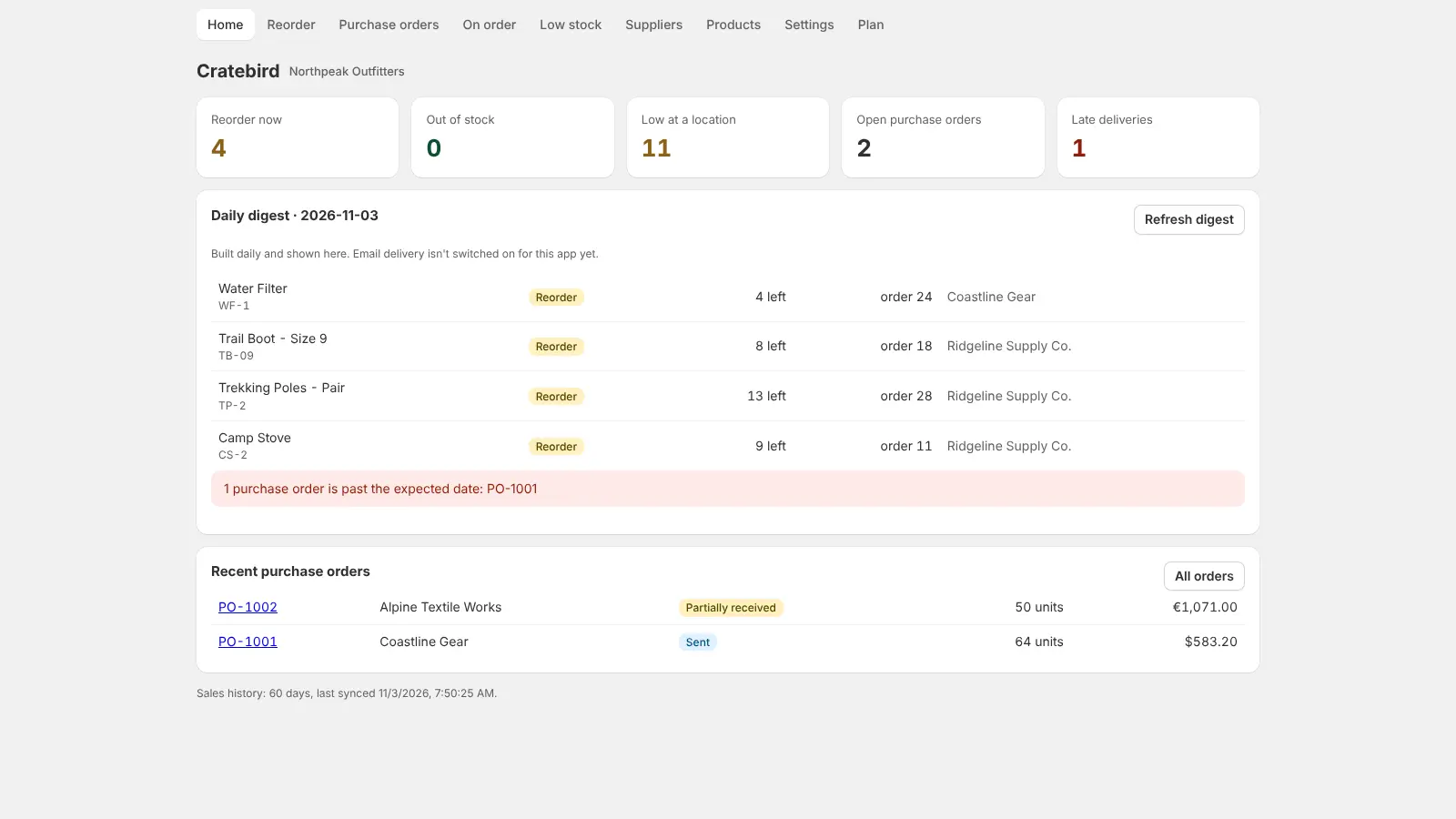
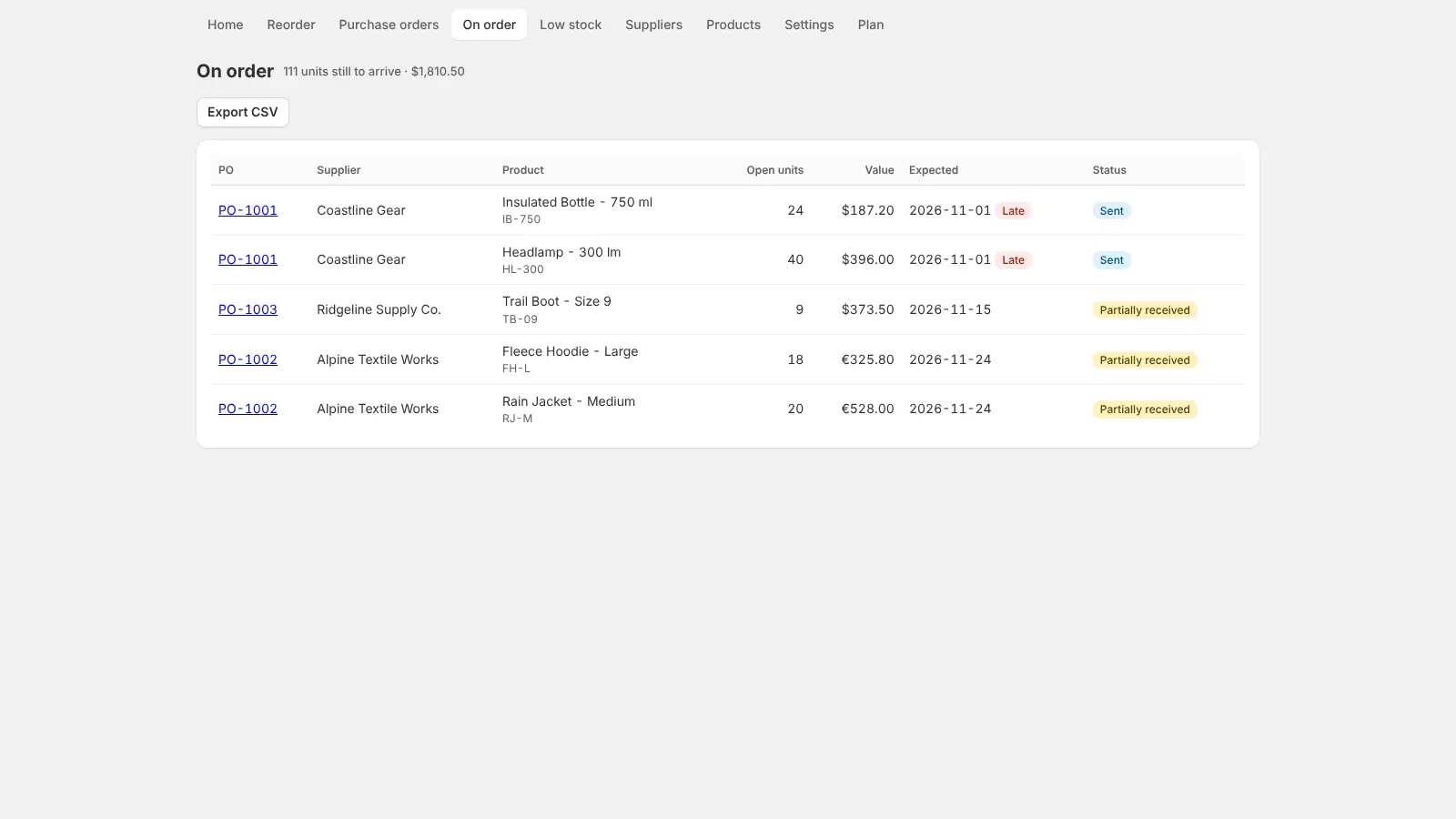
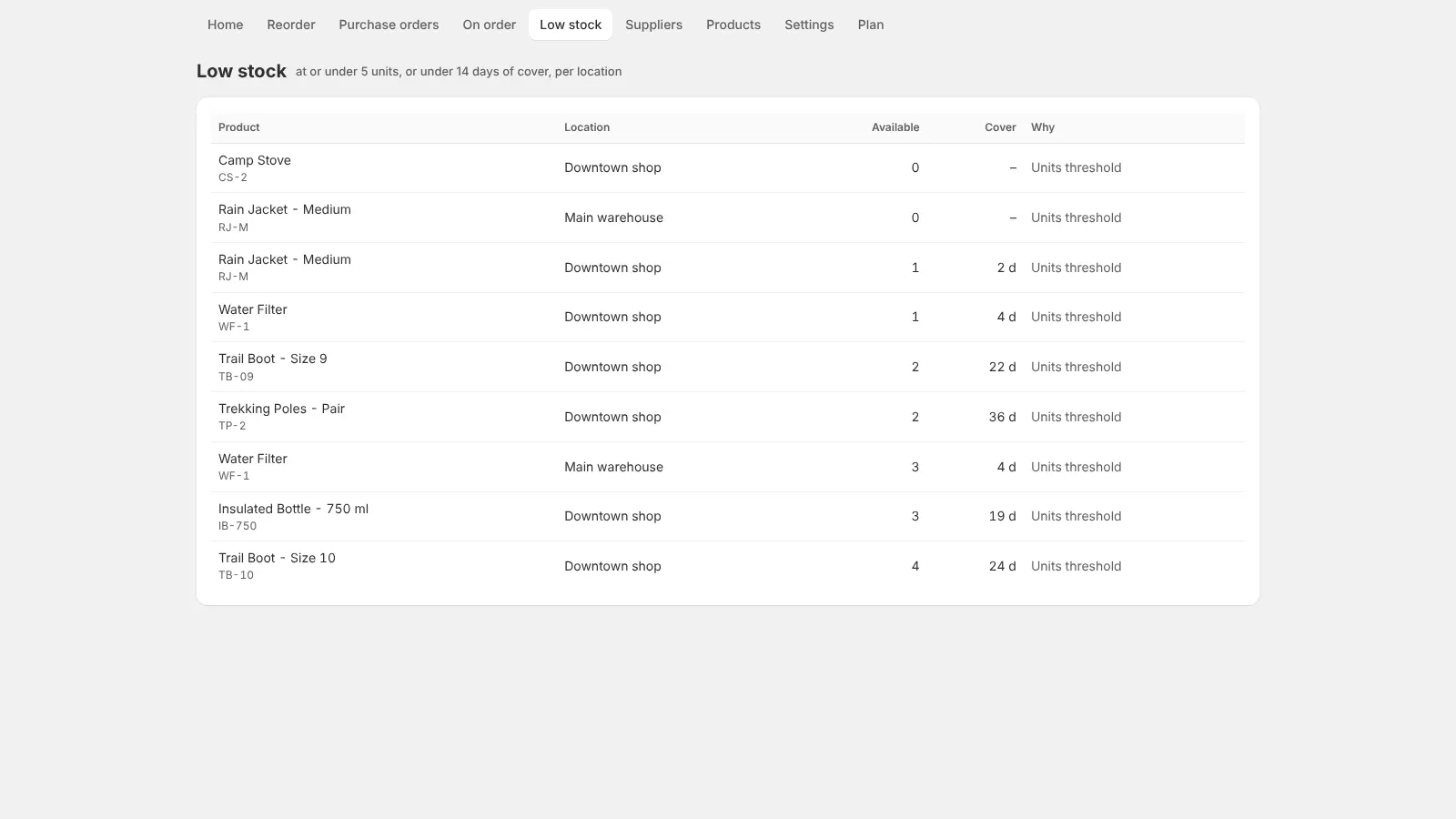
Low-stock alerts per location, an on-order view of open PO lines, and a daily digest of what to reorder and which orders are late.
How it works
Add your suppliers
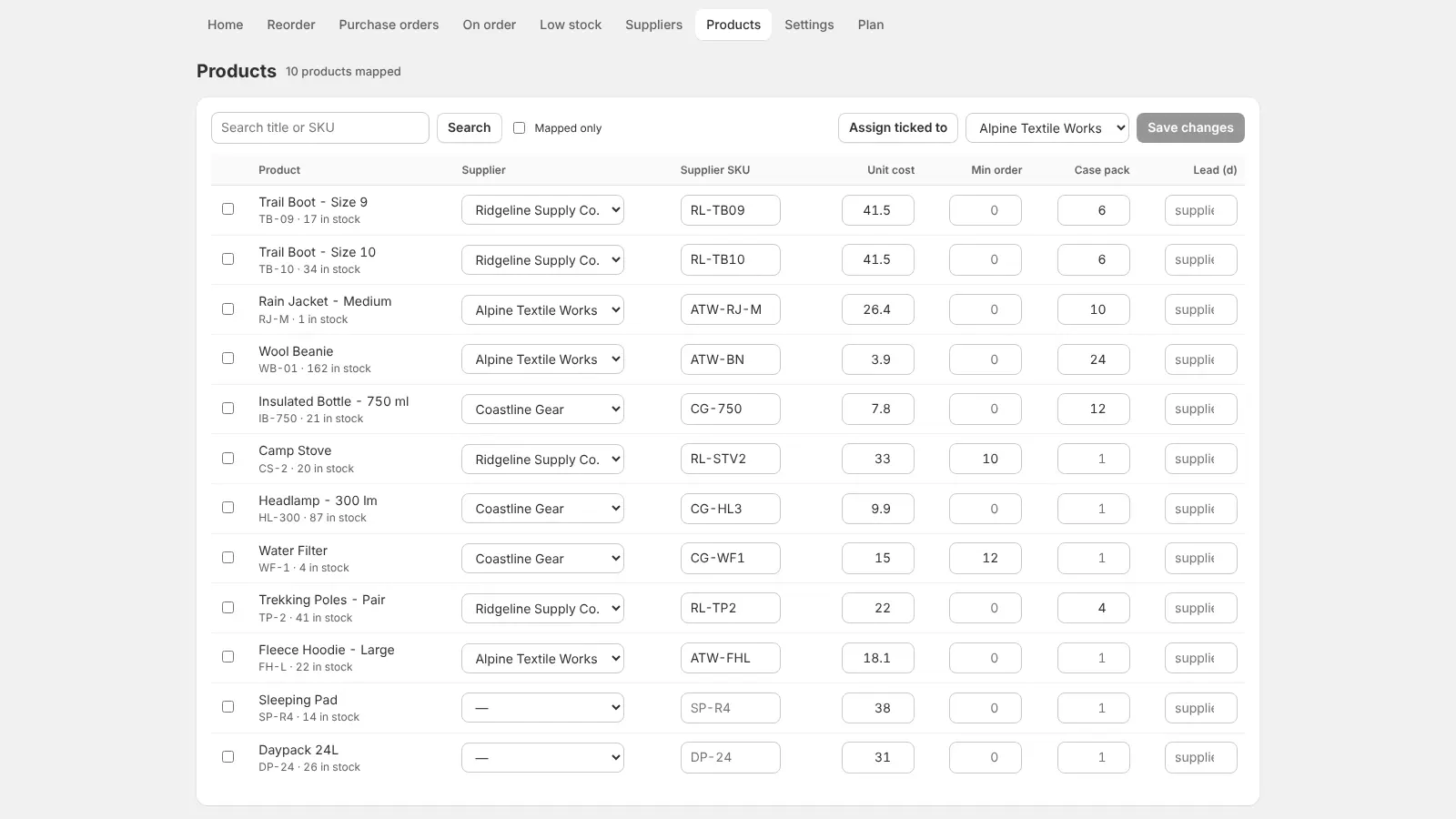
Name, email, lead time, currency. Map products to them with supplier SKU, unit cost and case pack.
Check the reorder list
Products that are selling and running low appear with a suggested quantity per supplier.
Send the PO
Create a draft, adjust quantities, then send it by email with a PDF, or download PDF or CSV.
Receive the delivery
Enter what arrived and Cratebird adds it to Shopify inventory at the location you choose.
Features
- Reorder suggestions from 30/60/90-day sales velocity, lead time and safety stock
- Rounds to case packs and supplier minimum order quantities
- Purchase orders: draft, sent, partially received, received
- Email the supplier with a PDF link; download PDF or export CSV
- Receiving adds stock to Shopify inventory at the right location
- Low-stock alerts per location and a daily digest
- Suppliers with lead time, currency, supplier SKU and unit cost
- One-off bulk orders are left out so they don't skew suggestions
Screenshots
Pricing
Free
$0
Free forever
10 products, 1 supplier, primary location; suggestions, POs, PDF/CSV, receiving and the daily digest
Pro
$14.99/month
7-day free trial
Up to 2,000 products, unlimited suppliers, primary location, on-order view and CSV
Plus
$29.99/month
7-day free trial
Unlimited products and suppliers, every location: per-location alerts, deliver and receive anywhere
Prices in USD, billed through Shopify.
Guides
FAQ
Does Shopify have purchase orders built in?
Shopify admin has basic purchase orders and transfers, but no reorder suggestions from sales velocity, supplier lead times, case packs or minimum order quantities. Cratebird adds those and receives deliveries into inventory.
How are reorder quantities worked out?
From each product's sales over the last 30, 60 or 90 days, the supplier's lead time and your safety stock, then rounded up to the case pack and the supplier's minimum order quantity. One-off bulk orders are left out so they don't skew the numbers.
Can I send the PO to my supplier?
Yes. Send it as an email with a PDF link, download the PDF, or export CSV for the supplier's own system.
Does it handle more than one location?
Yes, on Plus: low-stock alerts per location, and deliver and receive at any location. Free and Pro use the primary location.
What customer data does it read?
Only order line items (product and quantity) to measure sales velocity. It requests no customer names, emails or addresses, keeps order lines for 100 days and deletes everything when you uninstall.
How much does it cost?
Free for 10 products and 1 supplier. Pro is $14.99/month for up to 2,000 products and unlimited suppliers; Plus is $29.99/month for unlimited products and every location. Paid plans have a 7-day free trial.
Is it on the Shopify App Store yet?
Not yet: Cratebird is coming soon to the Shopify App Store. It is built and tested and going into Shopify's app review. Join the waitlist on this page and we'll email you the day it's live.
Get Cratebird
Reorder suggestions, purchase orders and receiving in one app.
Join the waitlistComing soon to the Shopify App Store (in review now).Help: support@dixonappstudio.com · App guide · App privacy policy
More Shopify apps from us
Tierwise: Quantity Breaks
Quantity breaks, volume and wholesale pricing that apply at checkout, plus min/max order limits.

Bulk Edit Everything
Bulk edit products, variants, prices, SEO, customers and orders, with preview, scheduling and undo.

Shelfport: Collection Import
Export and import collections by spreadsheet, with smart rules, product order, preview and undo.

Spanwise: Coverage Calculator
Shoppers enter room or yard size, see how many units to buy, and add them to cart in one click.

Gaugely: Part Size Finder
Find screws, washers, O-rings and parts by thread, diameter, length and material, in mm or inches.

Quotewell: B2B Quotes
Take B2B quote requests from product pages, price them, and send a Shopify invoice in one click.