Use your phone as a free button deck for your PC or Mac
Turn the phone you already own into a free button deck (macro pad) for a Windows PC or Mac: what it's good for, what to look for, and a five-minute setup with no phone app.
October 23, 2026 · 5 min read
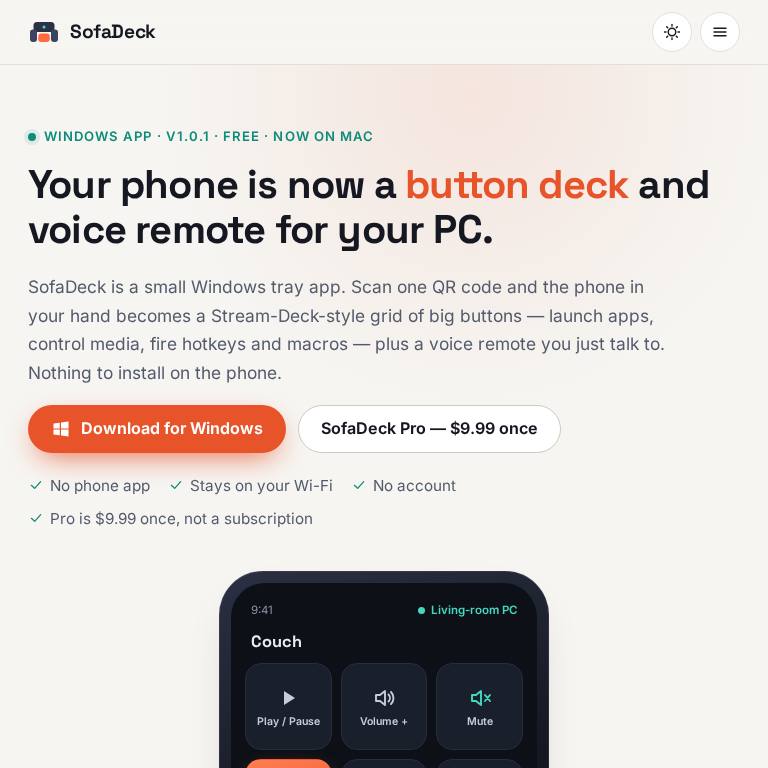
A button deck (some people say macro pad or button box) is a grid of keys that each do one job: open an app, mute your mic, switch an OBS scene, skip a song, paste a signature. Hardware decks cost real money and take desk space. The phone in your pocket already has a bright touch screen, so it can do the same job for free. This guide shows what a phone deck can do, what to look for, and how to set one up on a Windows PC or Mac in about five minutes.
What a phone button deck is good for
- Couch and media PC: play, pause, volume, "open Netflix" and "sleep in 45 minutes" without a keyboard on your lap.
- Streaming and calls: scene switches, mic mute and "start recording" as big buttons you can hit without alt-tabbing.
- Work shortcuts: hotkey combos you never remember, text snippets, and one-tap routines such as "open the three apps I start every day with".
- Gaming extras: launch games, or keep a page of keys for a flight sim or a LaunchBox arcade cabinet.
- Accessibility: large labelled buttons and voice commands are easier than small key combinations for many people.
What to look for
| Question | Why it matters |
|---|---|
| Does the phone need an app? | Some decks need an app on the phone and a program on the PC. Browser-based decks only need the PC side, so a guest's phone or an old tablet works too. |
| How many buttons are free? | Free tiers range from a handful of keys to a full page. Check whether the free version is time-limited. |
| Is it local only? | A deck that talks to the PC directly over your Wi-Fi needs no account and keeps working when the internet is down. |
| Windows, Mac or both? | Many decks are Windows-first. If you switch between computers, pick one that runs on both. |
| Subscription or one-time? | A one-time upgrade costs less than a monthly plan after a few months. |
For a side-by-side of the free and cheap decks (Elgato's Stream Deck Mobile, Touch Portal, Macro Deck, Deckboard and others), see the Stream Deck alternatives comparison on sofadeck.com, re-checked in October 2026.
The one we make: SofaDeck
SofaDeck started as the remote for our own arcade cabinet. It's a small tray app on Windows 10/11 and a menu-bar app on macOS 11 or later. The computer serves the deck as a web page on your home network, so the phone only needs its browser:
- one free page of 12 big buttons for apps, websites, media keys, volume, single keys and typing;
- a push-to-talk voice remote that understands commands such as "volume 30", "open Spotify" or any button's name;
- a trackpad and keyboard, Send to PC for photos and files, and live PC stats (Windows);
- routines, mic and call mute buttons and OBS Studio control (Windows, and the Mac from 1.0.9);
- LAN-only: no account, no cloud relay, no telemetry. Only phones you paired with the QR code and PIN can press buttons;
- SofaDeck Pro is an optional one-time $9.99 upgrade (no subscription) for unlimited pages, hotkey combos, macros and themes.
Set it up in five minutes
- Install SofaDeck on the computer: from the Microsoft Store or the download page on Windows, or the Mac disk image (also
brew install --cask stefanodixon-ux/tap/sofadeck). - Start it. On a Mac, click Allow when macOS asks about devices on your local network.
- Scan the QR code with the phone's camera, type the PIN, and the deck opens in the phone's browser.
- Open the deck editor and add a button: pick an app, a website, a key or a media action, and give it a label.
- Tap the mic and try "what can I say" to see the voice commands.
Tips for a deck you'll actually use
- Put the five things you do most in the top row; thumbs reach it without shifting your grip.
- Use short labels ("Mic", "Scene 2", "Lights") so you can read them at arm's length.
- Mount an old phone or tablet on a stand next to the monitor and leave the deck open: it becomes a free second screen of keys.
- Keep risky actions (shut down, close app) away from the corners you hit by accident. SofaDeck asks for confirmation before sleep and shut down.
Want a remote rather than a deck? Our guide to using your phone as a PC remote compares remote desktop, KDE Connect, Phone Link and phone decks. On a Mac, see Stream Deck on Mac.
Frequently asked questions
Can I use my phone as a macro pad?
Yes. A phone deck app on the computer turns the phone's screen into a grid of buttons that launch apps, send hotkeys, control media and run macros. SofaDeck does this with nothing to install on the phone.
Is there a free button deck for PC?
Yes. SofaDeck's free version gives one page of 12 buttons plus a voice remote on Windows 10/11 and macOS 11 or later, with no time limit. Macro Deck is free and open source, and Touch Portal and Stream Deck Mobile have free tiers.
Does it work with an iPhone?
Yes. SofaDeck's deck opens in any phone browser, so it works on iPhone, iPad and Android phones and tablets.
Is it safe to control my PC from my phone?
SofaDeck stays on your home network: the phone talks directly to the computer, there is no account or cloud relay, and only phones paired with the QR code and PIN can press buttons.