How to bulk edit customers in Shopify: tags, notes, names and tax exempt
Bulk edit Shopify customers: add or rename tags, add notes, fix names and set tax exempt for hundreds of customers at once, with a preview and one-click undo.
October 23, 2026 · 5 min read
Shopify's product editor gets all the attention, but customer records need bulk work too: tagging VIP or wholesale buyers, cleaning up names, adding a note to every account from a trade show, or marking a list of B2B accounts tax exempt. Here's what Shopify can do on its own, where it stops, and how to change any customer field for hundreds of customers at once with a preview first.
What Shopify can do without an app
- Add or remove tags: Customers → filter or search → tick the customers (or select all) → More actions → Add tags or Remove tags. This is the one customer field with a built-in bulk action.
- Customer CSV import: Customers → Import, with "Overwrite customers that have the same email" ticked. It updates matching customers from the file, but you need a clean export, careful column editing and there's no preview or undo: whatever is in the file is written.
- Segments: Customers → Segments groups customers by orders, spend, location or tags. A segment is a filter, not an edit; it's the best way to find who to change.
Not possible in bulk from the admin: notes, first and last names, phone numbers, tax exemption, or a find-and-replace inside tags (for example renaming vip to VIP-2026 on everyone).
Common bulk customer edits
| Goal | Which customers (Shopify search) | Change |
|---|---|---|
| Tag repeat buyers | orders_count:>1 | Tags: add repeat-customer |
| Wholesale price list | Customers tagged trade | Tags: add wholesale; Tax exempt: yes |
| Rename a tag | tag:vip | Tags: find vip, replace with vip-2026 |
| Fix name capitalisation | All customers | First and last name: Capitalise |
| Note an event | Customers tagged expo-oct | Note: add to the end "Met at the October expo" |
Step by step with Bulk Edit Everything
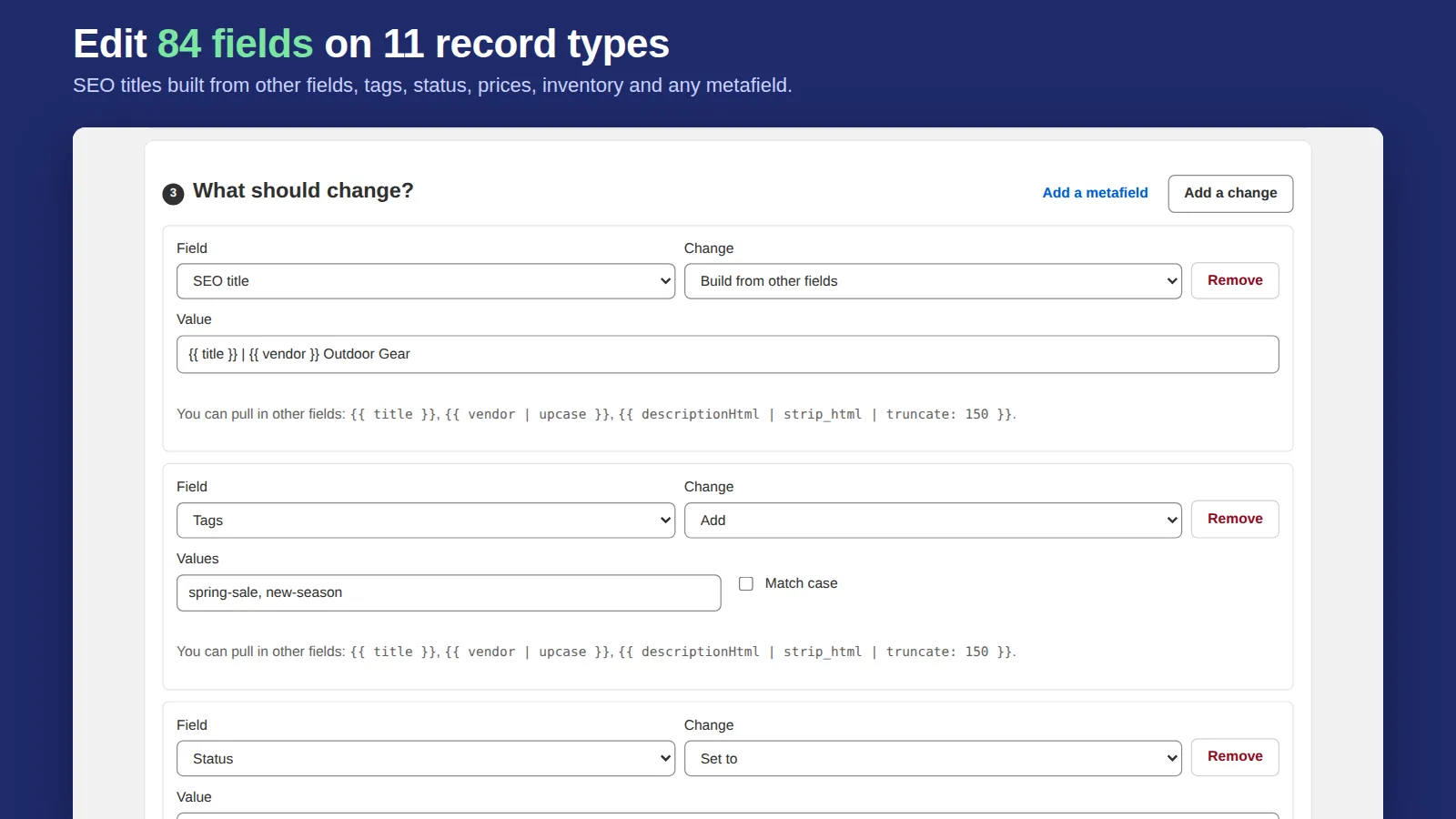
- Open the app and choose Customers under "What do you want to edit?".
- Narrow the list with a Shopify search such as
orders_count:>1ortag:trade, or leave it empty for everyone. Or press the Tag repeat customers quick recipe, which fills both steps in. - Add one or more changes: tags, note, first or last name, email, phone, tax exempt.
- Press Preview and read the before-and-after for each customer. Nothing has changed yet.
- Run it now, or schedule it. The task keeps running if you close the tab.
- Changed your mind? Undo on the Tasks tab puts every customer back the way they were.
One guardrail is built in: a bulk edit never moves a customer to subscribed for email marketing. Consent is the customer's decision, so that change is skipped and counted, whatever the task asked for.
Tips
- Tag first, then act on the tag: segments, discounts, Tierwise wholesale tiers and email flows can all key off a tag.
- Keep tags lowercase and hyphenated (
repeat-customer), so filters and Liquid conditions match reliably. - Export customers before a large change if your process requires a file copy; the app's undo covers the change itself.
Related: bulk edit tags in Shopify, bulk edit orders and wholesale pricing by customer tag.
Frequently asked questions
Can I bulk edit customers in Shopify without an app?
Only tags: select customers in the Customers list and use More actions → Add tags or Remove tags. Other fields need a customer CSV import with overwrite, which has no preview or undo, or an app.
How do I tag all customers who ordered more than once?
Search customers with orders_count:>1, then add a tag. In Bulk Edit Everything the Tag repeat customers recipe does both in one press, with a preview.
Can I mark many customers tax exempt at once?
Not from Shopify's customer list. Bulk Edit Everything can set Tax exempt for every customer that matches a search or tag, and undo it later.