Shelfport vs Matrixify for Shopify collections: a Matrixify alternative compared (2026)
Matrixify vs Shelfport for importing, exporting and backing up Shopify collections: free plans, prices, preview, undo and scheduled backups compared honestly.
October 23, 2026 · 4 min read
Disclosure: we make Shelfport. Matrixify facts come from its Shopify App Store listing, checked on 11 October 2026; prices and limits change, so confirm on the listing before you choose.
Matrixify is the Shopify import/export standard: products, customers, orders, redirects, metaobjects, almost everything, and the go-to for store migrations. If you only need collections, though, you're paying for a lot you won't use. Here's how the two compare for collection work.
At a glance
| Matrixify | Shelfport | |
|---|---|---|
| Scope | Almost every Shopify object | Collections only |
| Rating | 4.9 (1,764 reviews) | New |
| Free plan | 10 collections per file | Unlimited exports; 5 collections per import; 3 saved backups |
| Paid | $20/month (300 per file), $50 (3,000), $200 | $7.99/month or $79/year, unlimited |
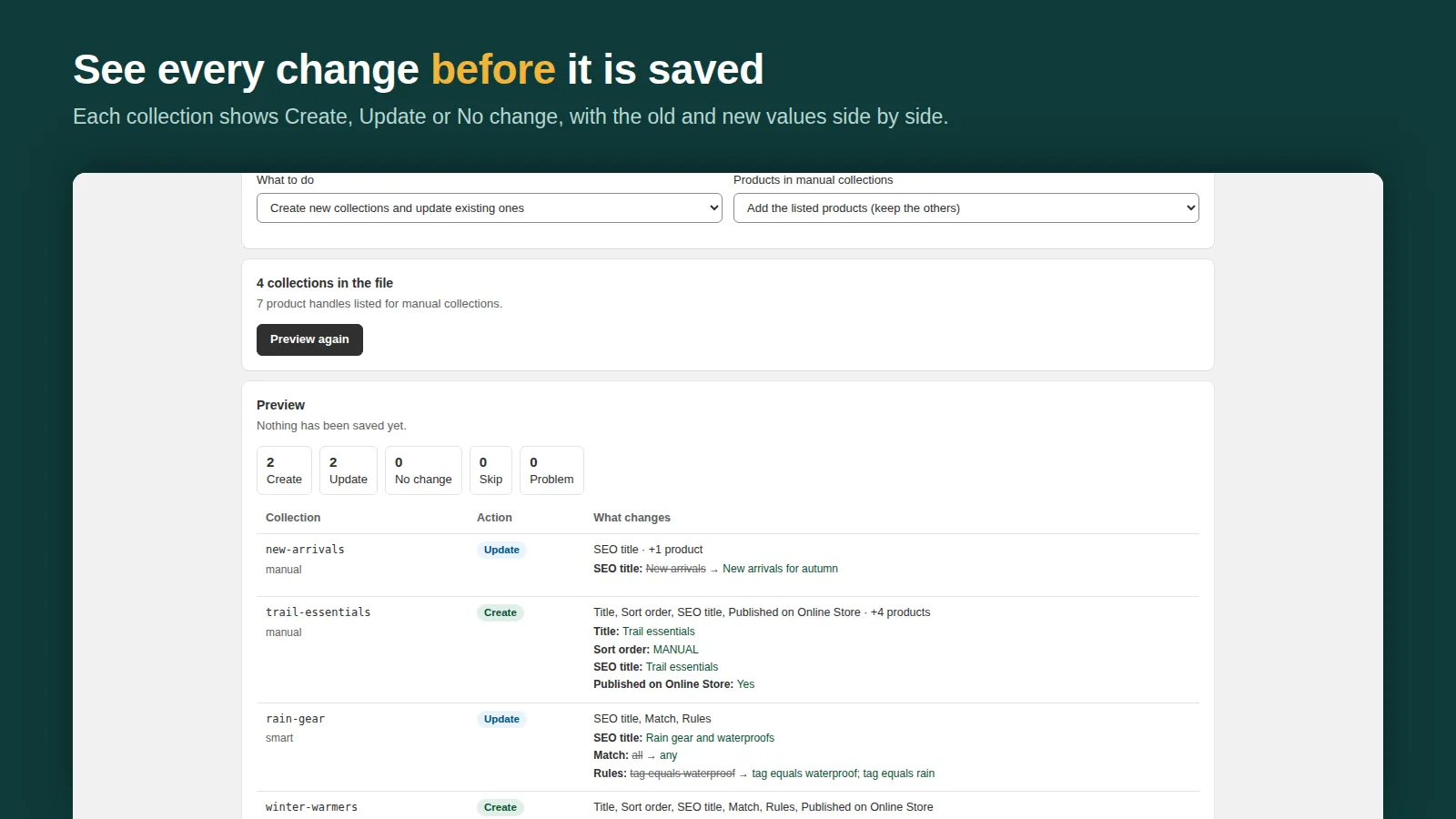
| Preview before import | Import results report after the job | Before-and-after for every collection before anything is saved |
| Undo | Re-import an earlier export | One-click undo of a whole import (7 days Free, 30 Pro) |
| Scheduled backups | Scheduled exports on paid plans | Daily or weekly on Pro, restore in two presses |
| File format | Excel/CSV, its own sheet layout | Excel/CSV/JSON; also reads Matrixify-style collection sheets |
Choose Matrixify if
- You're migrating a whole store, or need products, customers, orders and metaobjects in the same workflow.
- You already pay for it for products: collections come along at no extra cost.
- You need its scheduled imports from a URL or FTP feed.
Choose Shelfport if
- Your job is collections: smart rules, manual product order, collection SEO, images, metafields.
- You want to see every change first and undo a whole import with one press.
- You want automatic collection backups and a restore that doesn't involve finding last week's file.
- You want to start from ready-made templates (shop by price, sale and best sellers, seasonal collections).
- $7.99 a month matters to you more than an all-objects tool does.
Switching is easy: Shelfport imports Matrixify-layout collection workbooks column for column (Rule: Product Column, Product: Handle, Must Match and the rest), so an existing Matrixify export loads straight into its preview.
Also compared: the best collection import/export apps. Guides: copy collections to another store, bulk create collections.
Frequently asked questions
Is there a cheaper Matrixify alternative for collections?
Shelfport handles collections only: unlimited exports free, 5 collections per import on Free, and unlimited for $7.99/month. Matrixify's paid plans start at $20/month (listing checked 11 October 2026).
Can Shelfport read a Matrixify collections file?
Yes. It imports Matrixify-layout collection workbooks column for column, including smart-collection rule columns and product handles.